Identify Your Brewer Model First
High-altitude brewing settings are specific to certain Keurig brewers. This guide covers only the K-Mini and the K-Iced Essentials. If you own a different model, consult its specific manual or contact Keurig support directly.
Choose Your Model Path
Before attempting any button sequences, verify your machine. The controls for enabling high-altitude mode differ between these two units. If you are unsure which brewer you own, check the serial number location via our guide: Where is my Keurig serial number?.
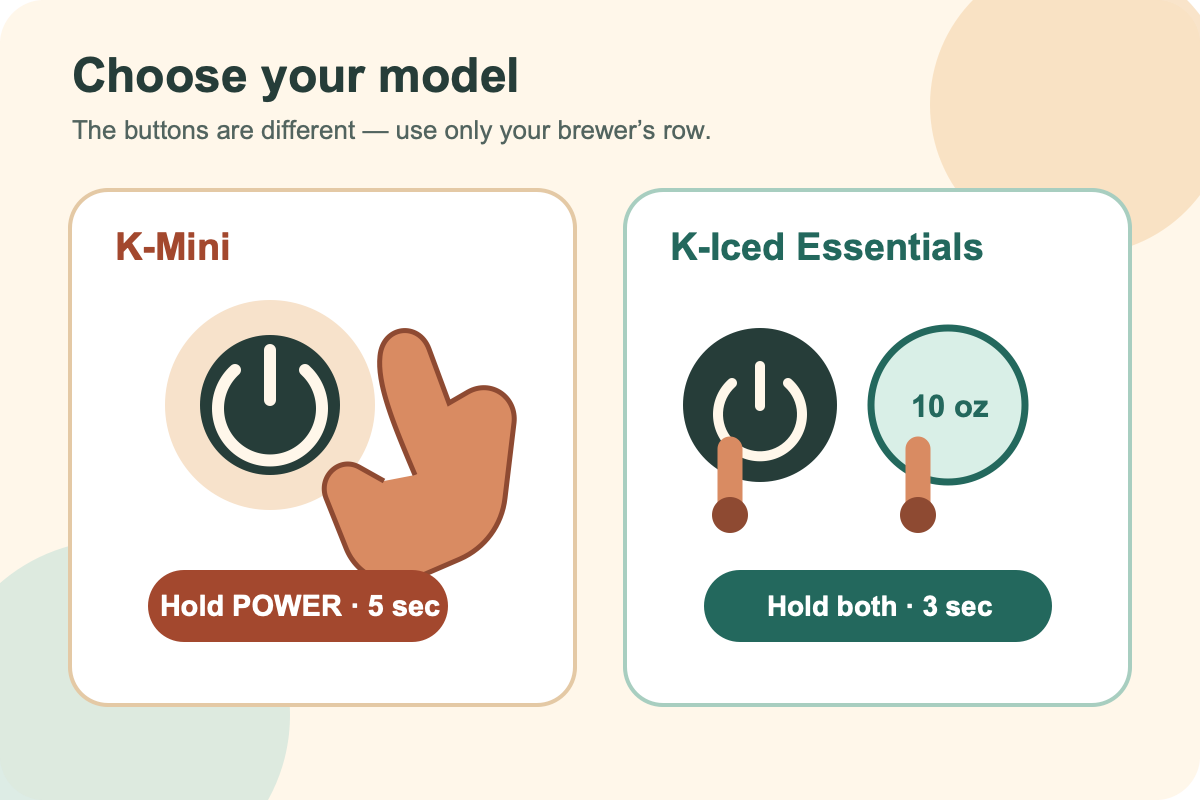
K-Mini: Enable High-Altitude Mode
To activate high-altitude brewing on your K-Mini, follow these manufacturer instructions. The flash pattern identifies the selected mode.
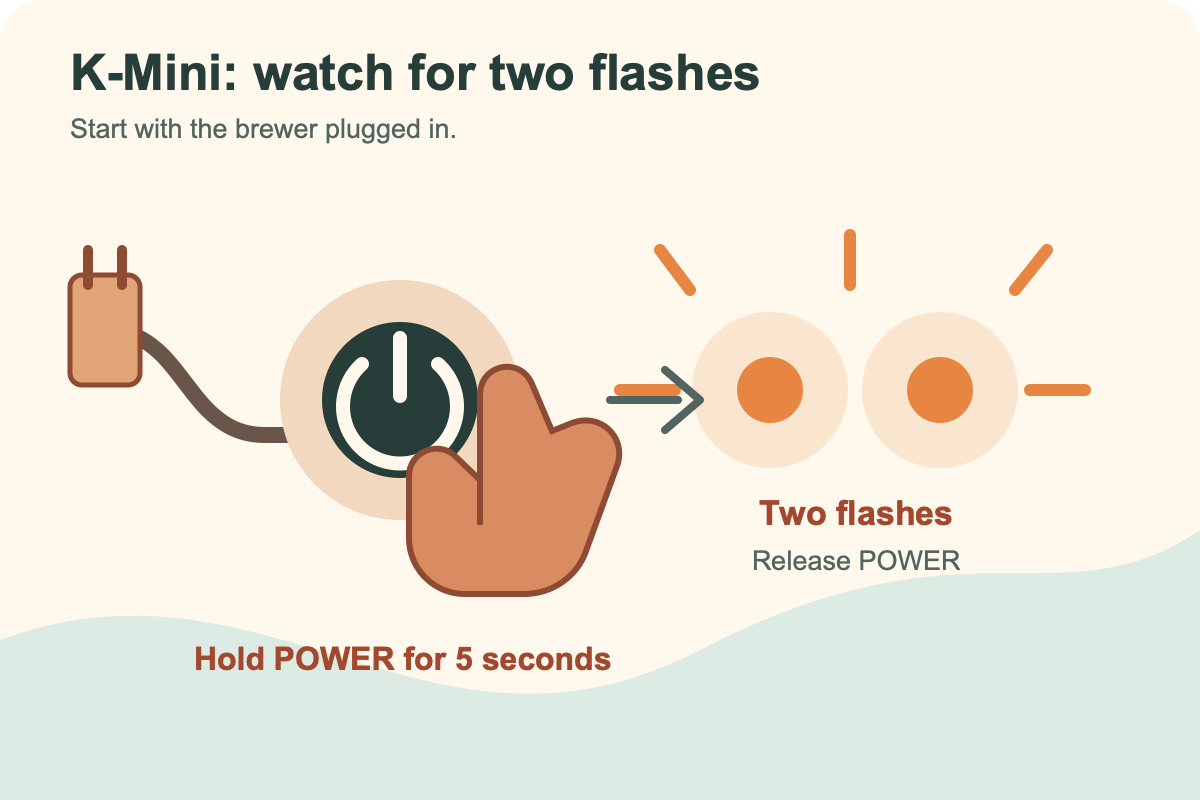
- Ensure the brewer is plugged in.
- Press and hold the POWER button for 5 seconds.
- Watch the indicator lights closely. The brewer will alternate flashes: two flashes indicate high-altitude mode, while one flash indicates low-altitude mode.
- Release the POWER button after seeing the flash count that matches your preferred setting (two flashes for high altitude).
Source: K-Mini User Guide
K-Mini: Disable High-Altitude Mode
To return your K-Mini to the low-altitude setting, repeat the sequence and release at a different point.
- Repeat the sequence described above (plug in, hold POWER for 5 seconds).
- Release the POWER button after seeing one flash.
High Altitude Mode remains enabled until you repeat the sequence and release POWER after one flash.
K-Iced Essentials: Enable High-Altitude Mode
The K-Iced Essentials uses a different control sequence that involves holding two buttons simultaneously. Begin with the brewer plugged in but powered off:
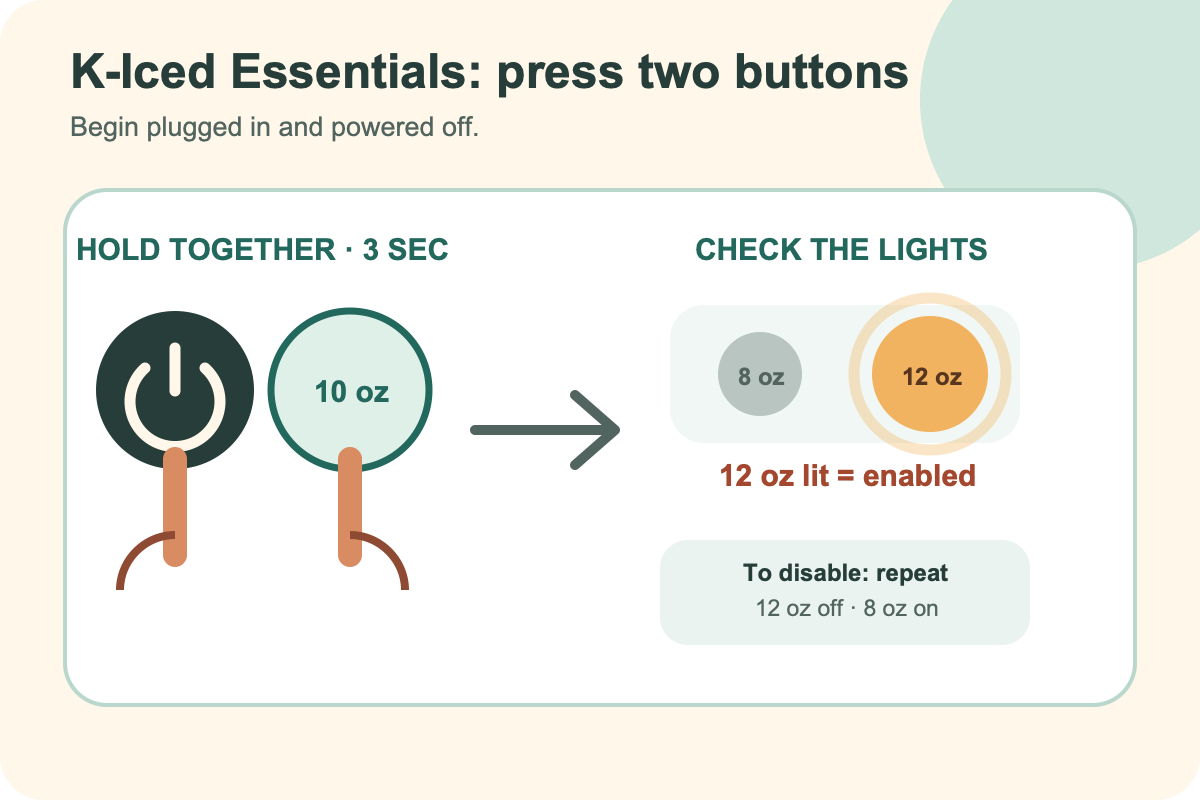
- Press and hold both the POWER button and the 10oz button simultaneously for 3 seconds.
- The 12oz light will turn on to confirm that high-altitude mode is enabled.
Source: K-Iced Essentials User Guide
K-Iced Essentials: Disable High-Altitude Mode
To disable high-altitude mode, repeat the enable sequence and check the lights.
- Repeat the enable sequence (hold POWER and 10oz for 3 seconds).
- Confirm that the 12oz light turns off and the 8oz light turns on.
Safety Warning: Pod Insertion
Both manufacturer guides include a safety warning regarding pod insertion that applies to these models:
- Do not put fingers in the K-Cup pod holder.
- The pod holder contains sharp needles that can cause injury.
- For high-altitude brewing, hold the handle up and slowly push the pod into the holder until its bottom is punctured by the exit needle. Then lower the handle and brew.
Source: Both K-Mini and K-Iced Essentials User Guides
When to Use High-Altitude Mode
- Both guides identify 5,000 feet as the higher-altitude context for this mode.
- These button sequences apply only to the K-Mini and K-Iced Essentials. For another model, use its manual or Keurig support.
- For general setup advice after configuring altitude mode, see How to use a Keurig.