Why Descaling Matters
Mineral deposits from tap water build up inside a Keurig K‑Latte’s heating element and internal water pathway. Over time this can reduce performance and affect coffee taste. The official K‑Latte Use & Care Guide recommends descaling every 3‑6 months, depending on water hardness. The built‑in reminder will only disappear once the procedure is actually completed.
What You Need Before You Start
- One full bottle of Keurig Descaling Solution (official product)
- Fresh tap water
- Large ceramic mug (do not use a paper cup)
- Access to a sink
- Empty the water reservoir and remove the Keurig Water Filter if installed
- Ensure no K‑Cup pod is in the pod holder
All of these items are listed in the K‑Latte Use & Care Guide and the Keurig hub support page.
Important Clarification: No Descale Mode Button
The K‑Latte is part of the RM Reservoir brewer family (K‑Classic, K‑Cafe, K‑Elite, K‑Compact, K‑Select). Unlike newer models such as the K‑Supreme or K‑Slim, it does not have a button combination to enter a programmed Descale Mode. The descaling procedure uses repeated manual brew cycles until the ADD WATER light illuminates.
Step‑by‑Step Descaling Procedure
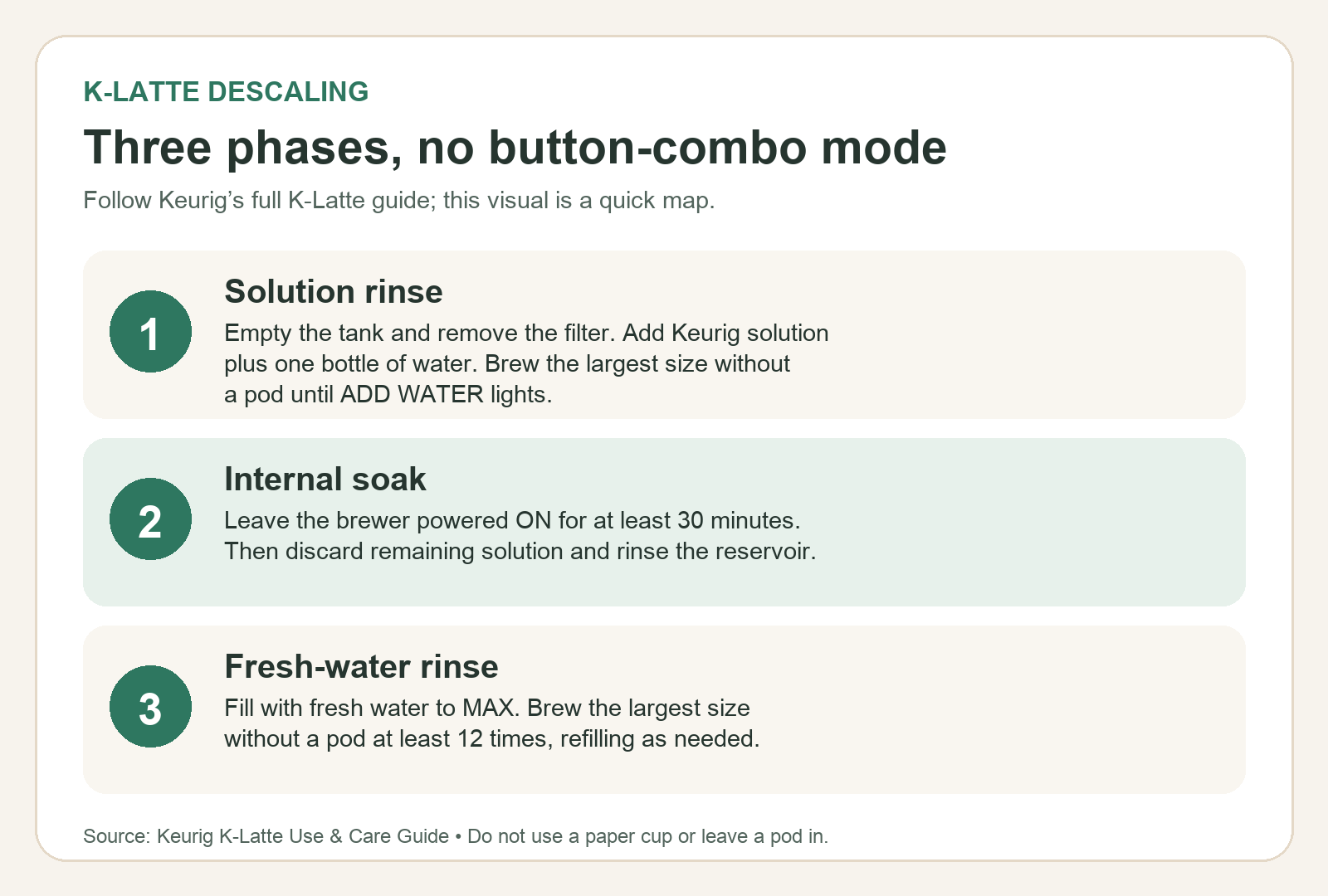
- Preparation – Allow approximately 45 minutes for the entire process. Empty the water reservoir, remove any water filter, and gather the items listed above.
- Solution Prep – Press the power button to turn the brewer off. Pour the entire bottle of Keurig Descaling Solution into the emptied reservoir. Fill the empty bottle with water and pour that water into the reservoir. Press the power button to turn the brewer back on. Source
- Cleansing Rinse – Place a large ceramic mug on the drip tray. Lift and lower the brewer handle (do not add a K‑Cup pod). Select the largest brew size and press BREW. Pour the hot liquid into the sink. Repeat this rinse cycle until the ADD WATER light illuminates. Source
- Internal Tank Soak – Leave the brewer powered ON. Do not turn it off or unplug it. Let it stand for at least 30 minutes. After 30 minutes, discard any residual descaling solution from the reservoir and rinse the reservoir thoroughly. The 30‑minute soak is well within the 2‑hour Auto Off window, but the brewer must remain on during this time. Source
- Fresh Water Rinse (Part 1) – Fill the reservoir with fresh water up to the MAX fill line. Place a large ceramic mug on the drip tray. Lift and lower the handle (no K‑Cup pod). Select the largest brew size and press BREW. Pour the hot liquid into the sink. Source
- Fresh Water Rinse (Part 2) – Continue running rinsing brews until you have completed at least 12 total rinses (largest brew size, no K‑Cup pod, large ceramic mug, pour into sink). Refill the reservoir to MAX as needed. After 12 brews, the brewer is ready to use. Source
Frother Cleaning Is Separate
The K‑Latte’s built‑in frother is not part of the descaling procedure. Frother cleaning should be done immediately after each use by hand washing with warm soapy water; it is not dishwasher safe. This is stated separately in the Use & Care Guide.
What to Do If the Brewer Doesn’t Fill Properly
If the brewer produces little or no output after adding the descaling solution, it may be heavily scaled. Turn off and unplug the brewer, discard the reservoir contents, rinse, plug back in, power on, and repeat the Fresh Water Rinse cycle. This note is included in the official guide’s foam behavior section. Source
Checklist for Your Descaling Session
- Did you allow 45 minutes total?
- Was the water reservoir emptied and the filter removed?
- Did you use a large ceramic mug and no paper cup?
- Did you run rinse cycles until the ADD WATER light illuminated?
- Did you leave the brewer on for 30 minutes during the soak?
- Did you complete at least 12 fresh water rinses?
- Did you clean the frother separately?
Conclusion
Following the official Keurig steps keeps your K‑Latte running smoothly and ensures that mineral buildup does not affect performance or taste. Remember: no button combo, 45‑minute process, 30‑minute soak with the brewer on, and at least 12 fresh water rinses. After descaling, the built‑in reminder will reset, and your machine will be ready for fresh coffee again.