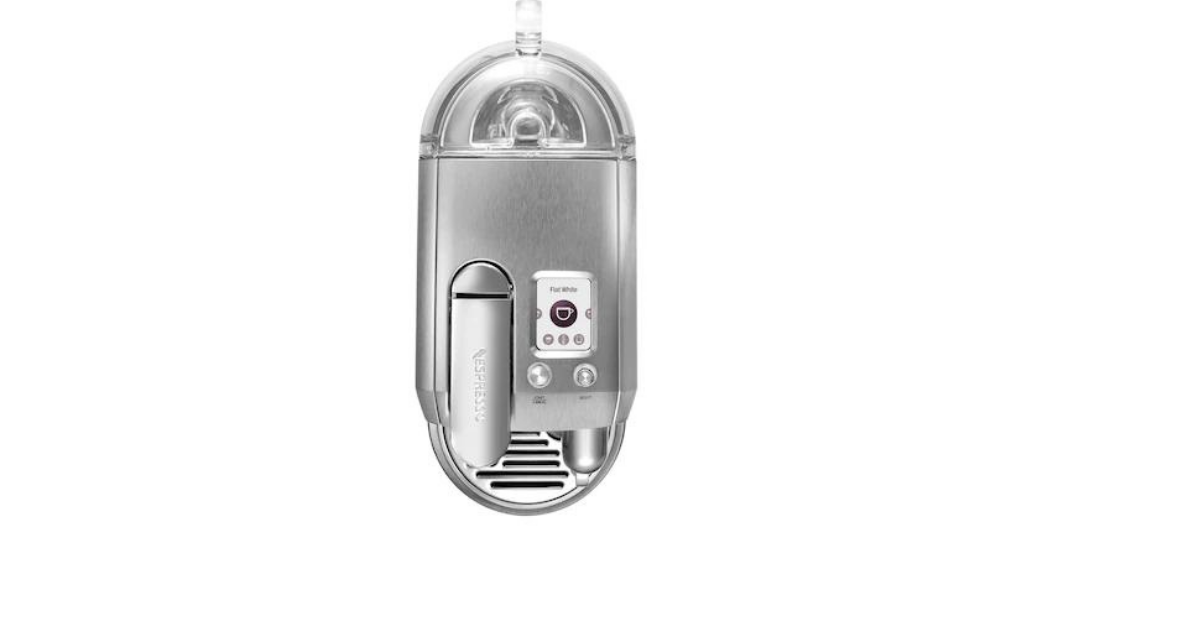
To reset a Nespresso machine, first identify the exact model on the label under or behind the machine. The button sequence is not universal. Most two-button Original machines reset by holding Lungo for five seconds while the machine is off; Vertuo, Vertuo Next, Evoluo and Vertuo Pop reset by pressing the coffee button five times within three seconds with the head closed but unlocked. VertuoPlus and Lattissima machines use different menu sequences.
A factory reset restores programmed drink volumes and certain machine settings. It does not descale the machine, clear a physical blockage or repair a failed component. If the problem is an orange or red warning light, identify the light pattern before resetting; our Nespresso orange-light guide explains what each sequence means.
Choose your Nespresso model
| Machine family | Common models | Reset method |
|---|---|---|
| Two-button Original | Essenza Mini, Inissia, CitiZ; some Pixie versions | Machine off; hold Lungo for 5 seconds. Check the Pixie section before proceeding. |
| Standard Vertuo | Vertuo, Vertuo Next, Evoluo, Vertuo Pop/Pop+ | Head closed and unlocked; press the coffee button 5 times within 3 seconds. |
| VertuoPlus | VertuoPlus, VertuoPlus Deluxe | Enter the orange Special Functions menu, choose reset with 3 lever presses, then confirm. |
| Lattissima | Plus, One, Touch, Gran Lattissima | Model-specific milk/menu-button sequence. |
| Creatista | Creatista, Plus, Pro, Uno | Use the screen menu, except Creatista Uno, which uses two coffee buttons. |
Before you begin: eject any used capsule, place the water tank correctly and let the machine finish heating if the instructions require it to be on. Do not unplug the machine during a reset. Button names and light colors can differ by market and production revision, so use the model number—not appearance alone—when choosing instructions.
Essenza Mini, Inissia and CitiZ factory reset
Nespresso’s manuals use the same basic reset for these common two-button Original machines:
- Turn the machine off. On models without a separate power button, press Espresso and Lungo together to switch it off.
- Press and hold the Lungo button for five seconds.
- Release it when the LEDs blink rapidly three times.
- Wait while the machine heats. Steady lights mean it is ready.
The reset normally restores the Espresso volume to about 40 ml, the Lungo volume to about 110 ml and the automatic power-off setting to its default. Those defaults can vary by model or market. See Nespresso’s official machine-assistance selector if your controls differ.
How to reset a Nespresso Pixie
Pixie revisions do not all use the same control layout. On the version whose manual instructs a reset during power-on, turn the machine off, hold Lungo and switch the machine on without releasing Lungo until the lights flash. Other Pixie manuals use a different button sequence. Check the model number on your rating label against Nespresso’s Pixie support page before pressing buttons.
Vertuo, Vertuo Next, Evoluo and Vertuo Pop reset
The common five-press reset applies to the standard Vertuo family, including Vertuo Next and many Vertuo Pop/Pop+ machines:
- Turn the machine on and wait for a steady ready light.
- Open the head so any used capsule ejects.
- Close the head, but leave the handle or lever in the unlocked position.
- Press the coffee button five times within three seconds.
- The button should blink five times to confirm the factory reset, then return to its ready color.
The timing is intentionally quick. If the light does not confirm five presses, wait for the machine to return to ready mode and try once more. Do not repeatedly press the button if the machine is in a cleaning or descaling cycle. Nespresso publishes the same procedure in its Vertuo Next assistance guide.
VertuoPlus factory reset
VertuoPlus uses its lever and Special Functions menu, not the five-press method:
- Turn the machine off by holding the lever down for three seconds.
- Press the coffee button and push the lever down together for three seconds. A steady orange light indicates the Special Functions menu.
- Press the lever down three times to select factory reset.
- Press the coffee button once to confirm.
- The orange light should blink three times, then change to the ready light.
Choose the function within two minutes or the machine exits the menu. One lever press selects descaling and two select emptying, so count carefully.
Lattissima Plus factory reset
The high-volume query “Lattissima Plus factory reset” refers to a different procedure from the newer Lattissima One:
- Turn the Lattissima Plus on and let it become ready.
- Press and hold all four drink buttons together for five seconds.
- The buttons flash to confirm that the programmed drink quantities have returned to their defaults.
Some searches use “factory reset” when they only need to reprogram one cup size. Holding a drink button while it dispenses and releasing it at the desired volume usually saves that individual quantity without resetting every drink.
Lattissima One factory reset
- Switch the machine on and remove the milk jug.
- Hold the Milk button for three seconds to enter Menu mode. The Descale and Clean alerts blink.
- Press the Milk button once. It begins blinking to indicate reset mode.
- Press Milk again to confirm. All buttons blink three times and the machine returns to ready mode.
The menu closes automatically after about 30 seconds of inactivity. These steps restore drink quantities; they do not complete a descale.
Gran Lattissima factory reset
Gran Lattissima has more recipe buttons, so use the symbols on your machine:
- Switch the machine on and remove the milk jug.
- Hold the Hot Milk and Flat White buttons together for three seconds. The Descale and Clean alerts blink.
- Press Flat White once; its button blinks.
- Press Flat White again. Three rapid blinks confirm that drink quantities have been restored.
If your Gran Lattissima panel does not have those labels or icons, stop and use the manual for the model number on its label. Nespresso has produced several regional versions.
Lattissima Touch reset
- Turn the machine on and remove the milk container.
- Hold Latte Macchiato and Warm Milk Froth together for three seconds to enter the menu.
- Swipe the drink buttons in the order shown by the manual: Warm Milk Froth, Cappuccino, Latte Macchiato, Lungo, Espresso, then Ristretto.
- When Warm Milk Froth lights, press it to confirm. Three flashes across the buttons confirm the reset.
Creatista reset
Creatista and Creatista Plus use the display: open Settings → Reset → Factory Reset, then confirm. The machine powers off and may require the first-use setup the next time it starts. Creatista Pro similarly provides Factory Reset in its touchscreen menu.
Creatista Uno has no display. With the machine on, hold Lungo and Ristretto together for five seconds, then press either blinking button to confirm. Follow the first-use process afterward.
When a reset will—and will not—help
A reset is appropriate when a custom coffee volume is wrong, a saved preference needs clearing, or the official troubleshooting guide explicitly calls for one. It can also be a useful final software step after you have checked the water tank, capsule position and machine head.
A reset is not a replacement for cleaning or descaling. If coffee runs slowly, the machine sounds strained, or a descale alert remains, follow the model’s official cleaning or descaling cycle. If there is no power, water leaks near electrical parts, a lever will not close, or a light pattern indicates a mechanical fault, unplug the machine and contact Nespresso support rather than repeating resets.
Why the Nespresso reset did not work
- Wrong model sequence: VertuoPlus and Vertuo Next look related but reset differently.
- Machine state is wrong: some Original machines must be off, while the standard Vertuo five-press procedure starts in ready mode.
- Button timing was missed: five Vertuo presses must fit inside three seconds.
- A maintenance cycle is active: finish or correctly exit cleaning/descaling before attempting another function.
- The issue is physical: a blocked outlet, empty or misplaced tank, jammed capsule, overheating condition or failed component will not be repaired by resetting settings.
If one carefully performed reset does not produce the confirmation lights, compare the model number with the official manual. For persistent faults, use Nespresso’s machine-assistance page or technical support; avoid trying sequences intended for a different model.
Bottom line
Identify the model first, perform its exact sequence once and look for the confirmation blinks. For Essenza Mini, Inissia and CitiZ, that is usually Lungo for five seconds while off. For standard Vertuo models, it is five coffee-button presses in three seconds with the head closed and unlocked. VertuoPlus, Lattissima and Creatista machines require their own menus. A reset restores settings; it does not descale or repair the machine.